This week has been heavy on presentations. I’ve been volunteering with the Online Scrum Master Summit, co-facilitating some of their sessions. On top of this I’ve been presenting at a couple of work Guild. My home setup has been improving over time as you can see in the image.
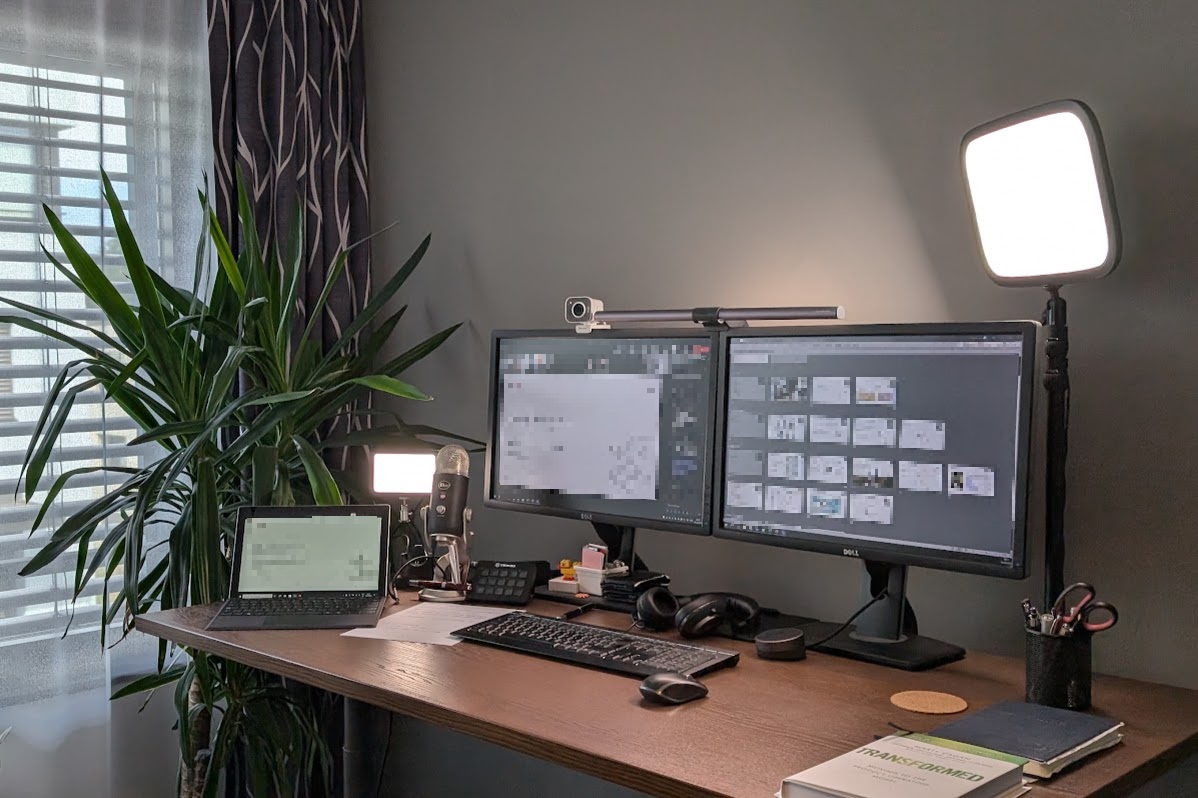
Having multiple devices, I feel that I have found a way presenting that is working well and is worth sharing.
Setup
My setup is quite simple, but effective for what I want to achieve. Meeting are joined From the main computer, using this for camera and audio. Then also from Teams on the Surface, from where I can add the device to the meeting. From the surface I share the whole screen, using PowerPoint in presentation mode.
Advantages
In my opinion there are many advantages to this setup. First is that on my main computer I can observe what the other meeting participants are seeing. There is no longer the need to ask the classic question, “Can you see my screen/Slides/what I’m sharing?” Personally, I really like to follow the chat during a session, and this helps me in having the chat window available on the main computer.
As interactive whiteboard tools are blocked, I often resort to PowerPoint as a shared canvas. If we try sharing this using the Teams share PowerPoint function, it runs from a cached version of the deck so real time updates are not shared. When using the full screen presentation mode changes are reflected immediately, for example if multiple people are working on the slides, adding (sticky) notes etc.
When we mention collaboration, we also have Mentimeter for collecting
audience feedback. They do provide an AddIn for PowerPoint, where results can be shared in the slide
deck, however this is also blocked as admins have disabled almost all of the Addins. By sharing the
complete desktop on the Surface it is possible to have the Mentimeter slides available in a full
screen browser (F11), and then Alt + Tab between the PowerPoint slides and Mentimeter browser
pretty seamlessly.
Disadvantages
On the whole there is nothing major that I can complain about with this setup.
The only slight confusion I’ve had is trying to move the slides forward by pressing the mouse my main computer instead of the Surface, but this is very minor.
The other slight annoyance is that PowerPoint aspect (16:9) does not match that of the Surface (3:2) Therefore, the image is “letter-boxed” with black bars across the top and bottom. These are then also shared, which means that participants with height limited screens have the bars added which is a waste of space.
Conclusion
For those who are presenting frequently give working from multiple devices a try and see how it affects your workflow. I can definitely recommend it.